
Paper Mario: The Thousand-Year Door
Runs smoothly; tested until mid chapter 1
Your own Nintendo Switch games as apps for Android, the Mac, iPhone and iPad.
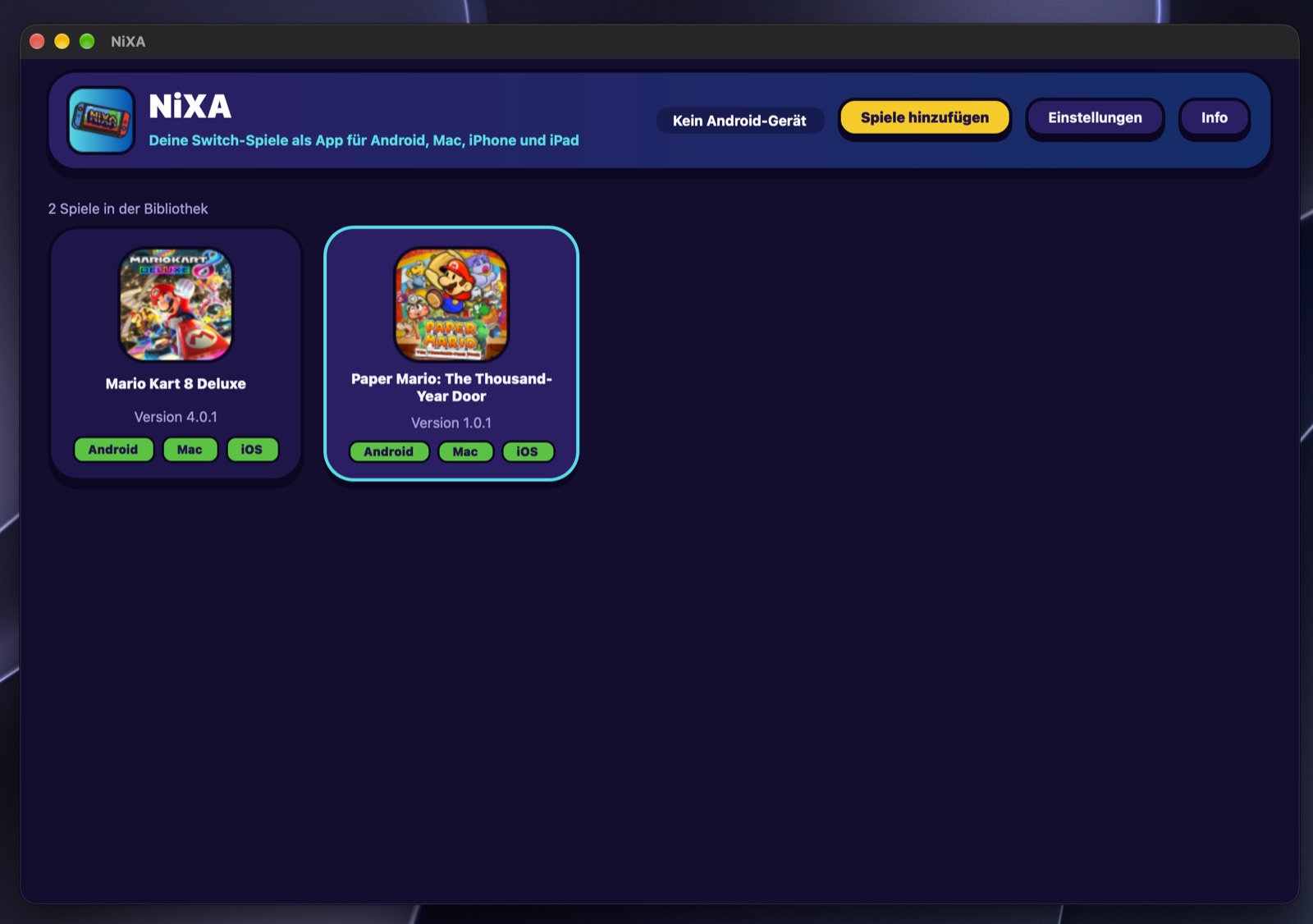
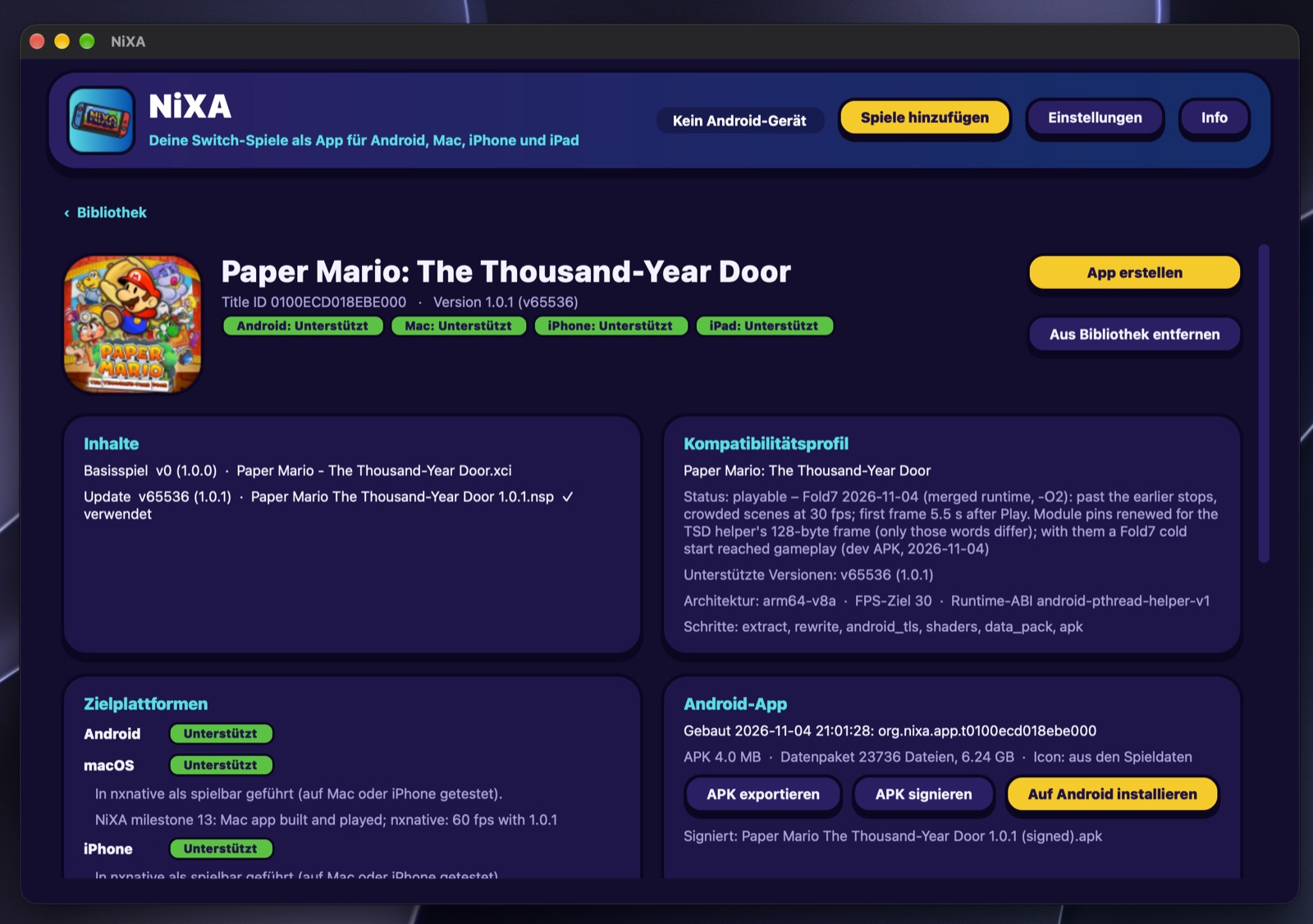
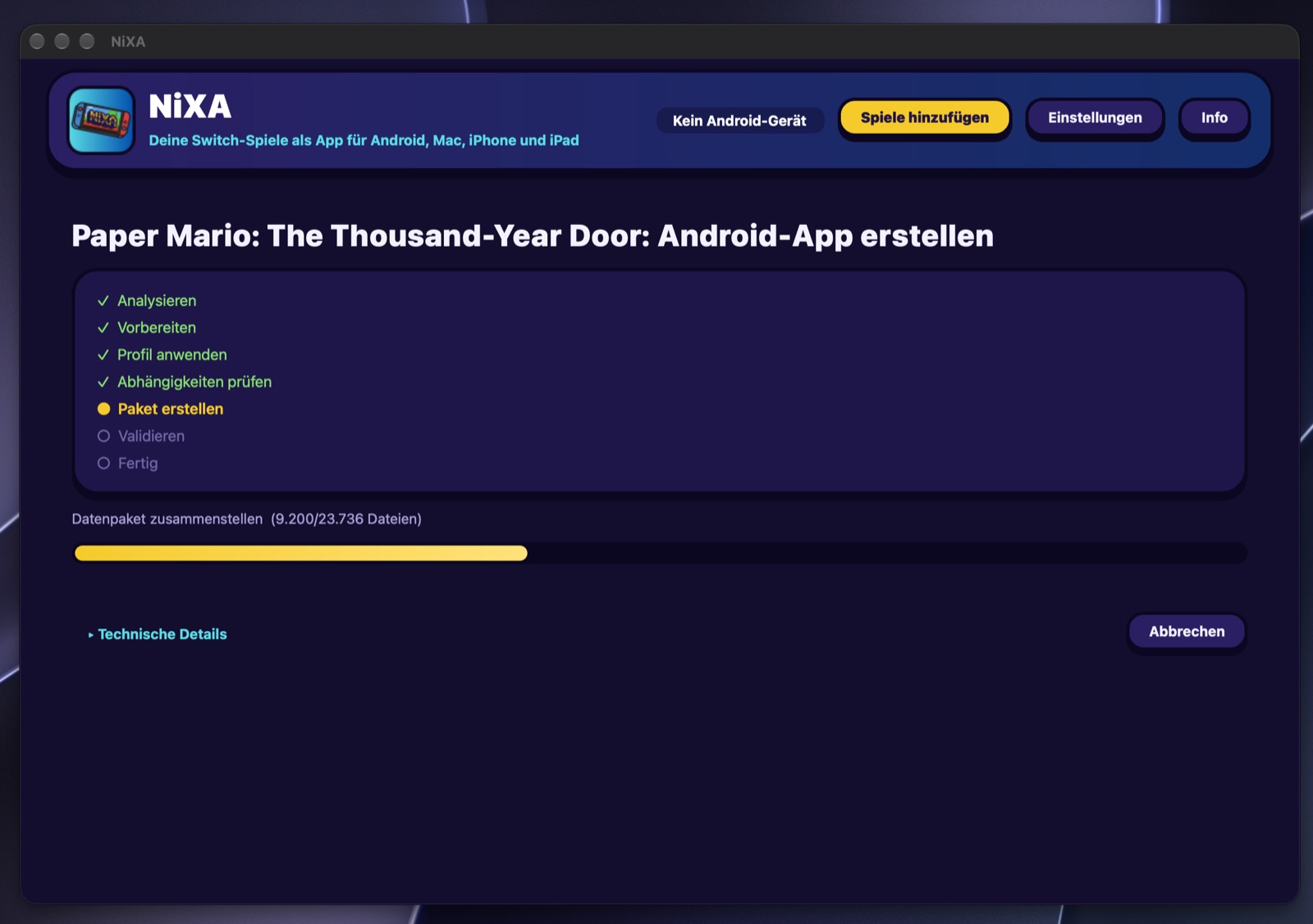
Import a game once, choose a platform, get an app: no command line.
The repository is still private. The link follows when it opens.
Development and testing are focused on Android at the moment. macOS, iOS and iPadOS are considered very stable, but we are not testing them ourselves right now.
NiXA is a desktop app that turns the game files you own into a standalone app for each platform. It identifies a game from its own metadata, shows for every platform whether the game is supported there, and builds, signs and installs the app. The game's own code runs on the device's processor.
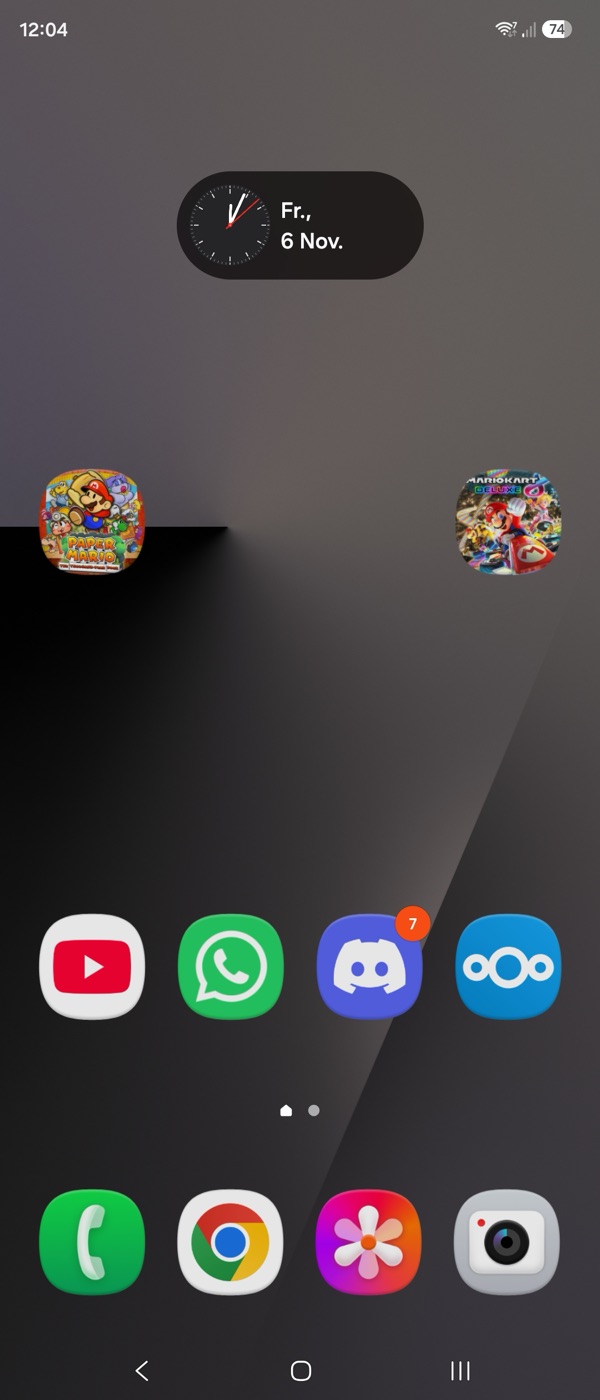
NiXA builds on nxnative and its contributors (MIT): the rewriter of the game modules, the Horizon services, NVN on Metal and the Apple pipeline come from there. On top NiXA adds the Android runtime, Nextcloud save sync, the launchers in its own design and the desktop builder.
An emulator imitates the console, so that its games run on another machine. NiXA does not: it builds an app from each game, in which the game's own code runs on the device and NiXA stands in for the Switch's system and graphics API.
| What | Emulator | NiXA |
|---|---|---|
| Game code prepared before you play, not while you playThe Switch's code is already ARM64, the processor family of phones and Macs: NiXA rewrites certain instructions and run-time bindings of its modules once, when the app is built, and the prepared code then runs natively. A JIT emulator translates the code while you play; it too runs the translated code natively on the processor. | ||
| No just-in-time compiler neededSo it runs on a normal iPhone and iPad without special JIT entitlements. Most emulators need a JIT for good speed; an interpreter does without, but runs far slower. | ||
| High-level compatibility, graphics at the API levelNiXA implements the system services games need and maps the Switch's graphics API (NVN) onto Metal or Vulkan. Switch emulators use high-level emulation for the system too, and also translate GPU commands and shaders to Vulkan, but they start from the commands the game sends to the GPU, one level below NVN. The bigger difference lies in the rows above and below: code prepared ahead of time, and an app built for each game. | ||
| Shaders translated before you playWhen the app is built. Metal and Vulkan can still build graphics pipelines while you play, so a new scene can hitch once; NiXA prepares them ahead where it can. | ||
| Each game is an app of its ownWith its icon on the home screen, its launcher, its Quick Menu and its saves. | ||
| Plays any game without work for that gameAn emulator aims to run every game. NiXA brings games up one by one: each needs a profile, tested on the device. | ||
| Many games playable todayEmulators have years of compatibility work behind them. NiXA has two games on Android so far. | ||
| No games or keys includedBoth need the game files you own. |
Tested on the Galaxy Z Fold7. The list grows as games are brought up.
Runs smoothly; tested until mid chapter 1
Experimental, still needs testing
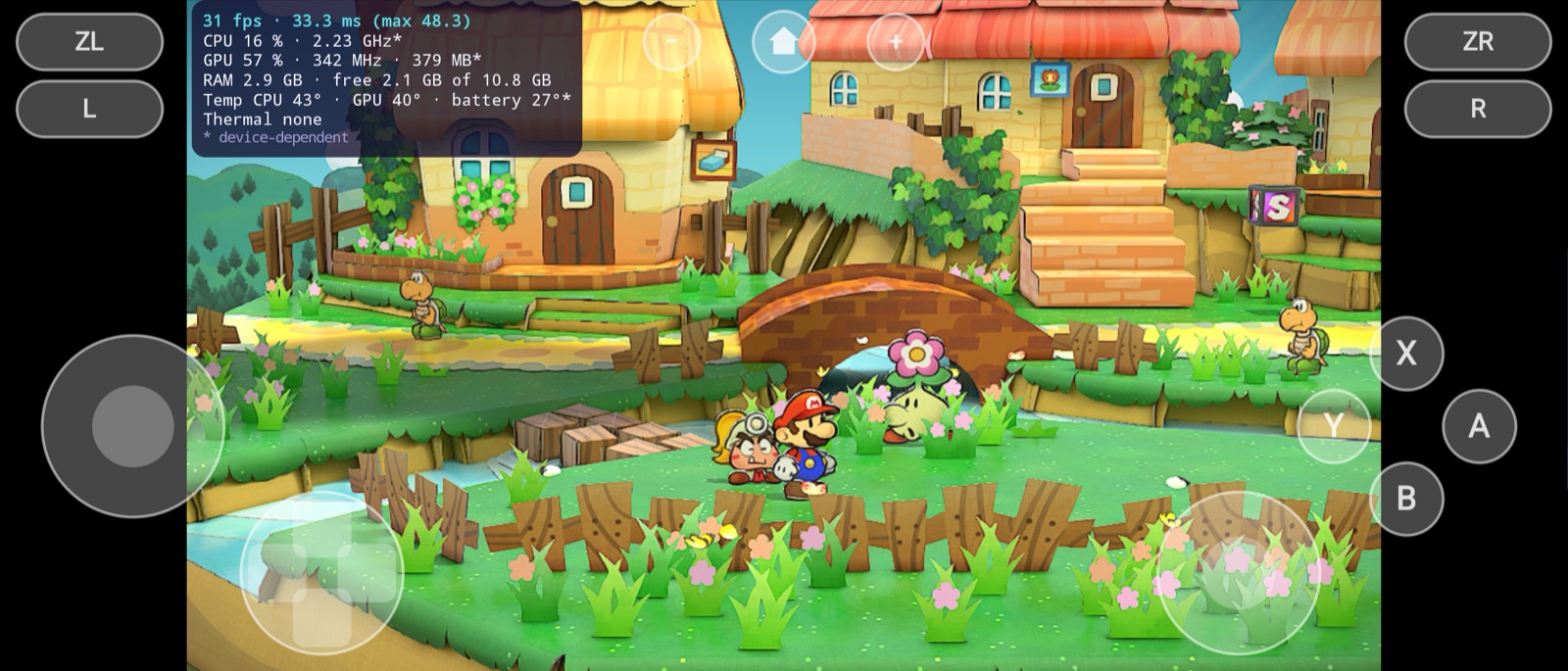
Note. Development and testing are focused on Android at the moment. macOS, iOS and iPadOS are considered very stable, but we are not testing them ourselves right now: test reports are welcome!
Coverage of the Android port on 2026-11-06, counted from the code. Game logos and the screenshot belong to their owners and are shown only to identify the games.
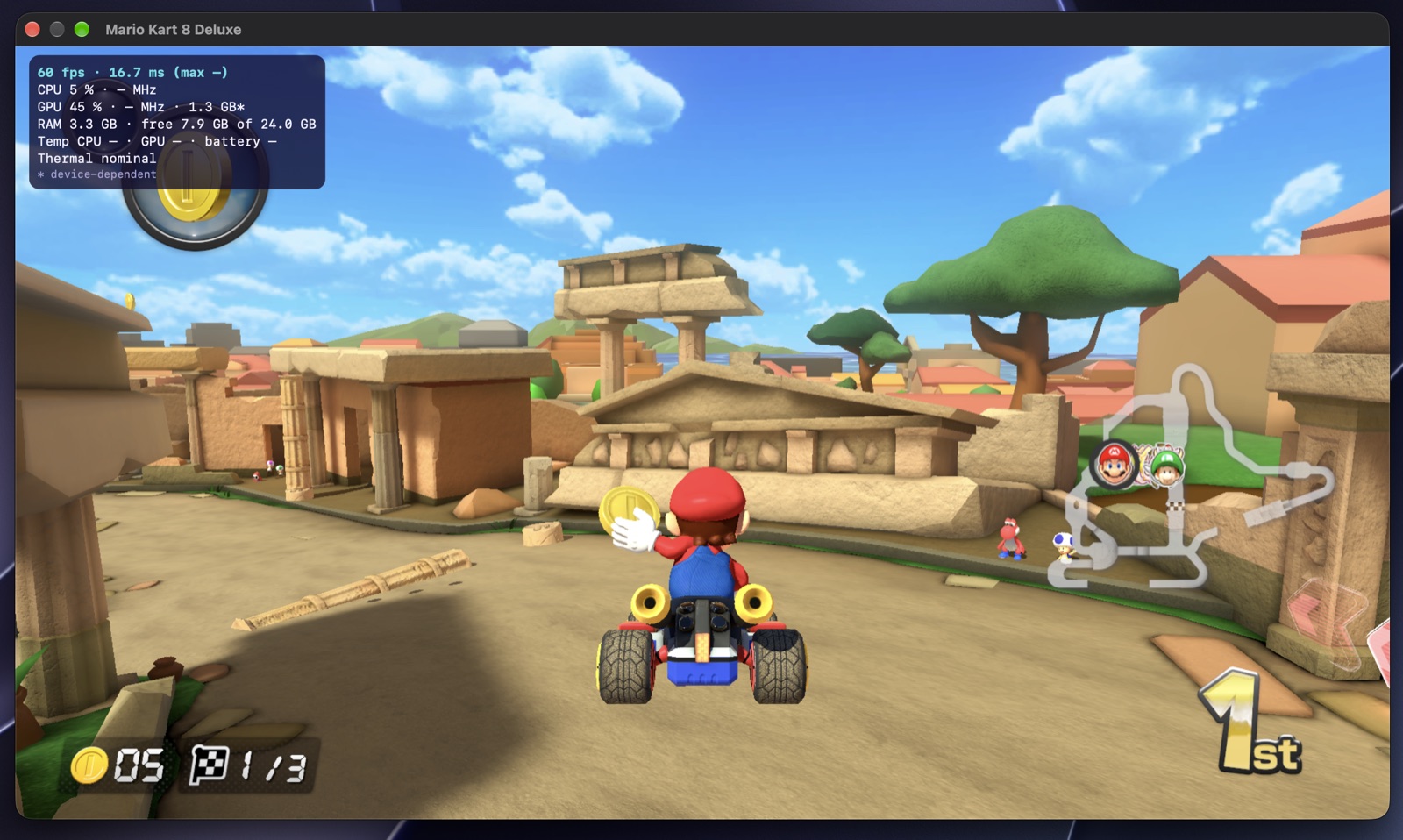
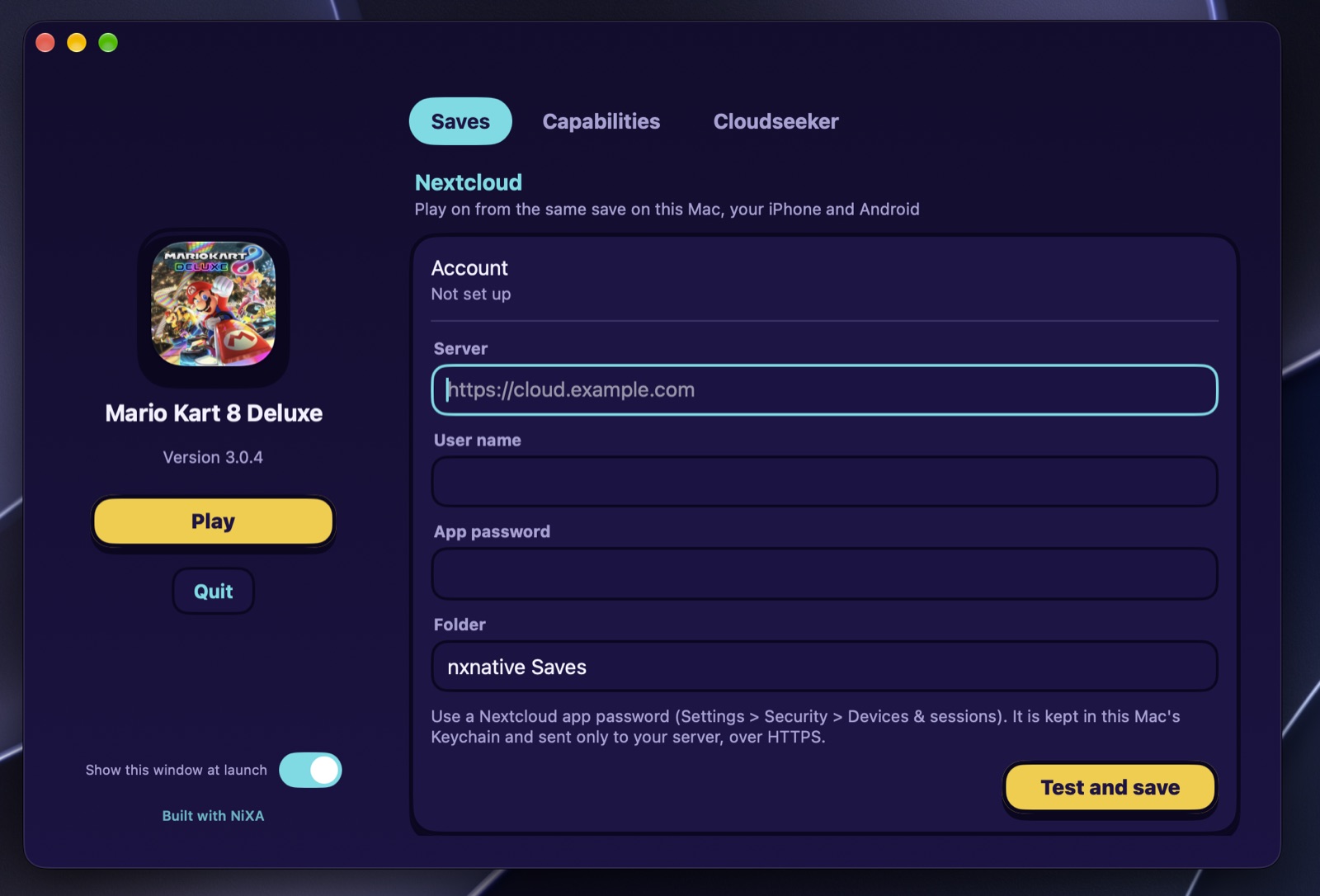
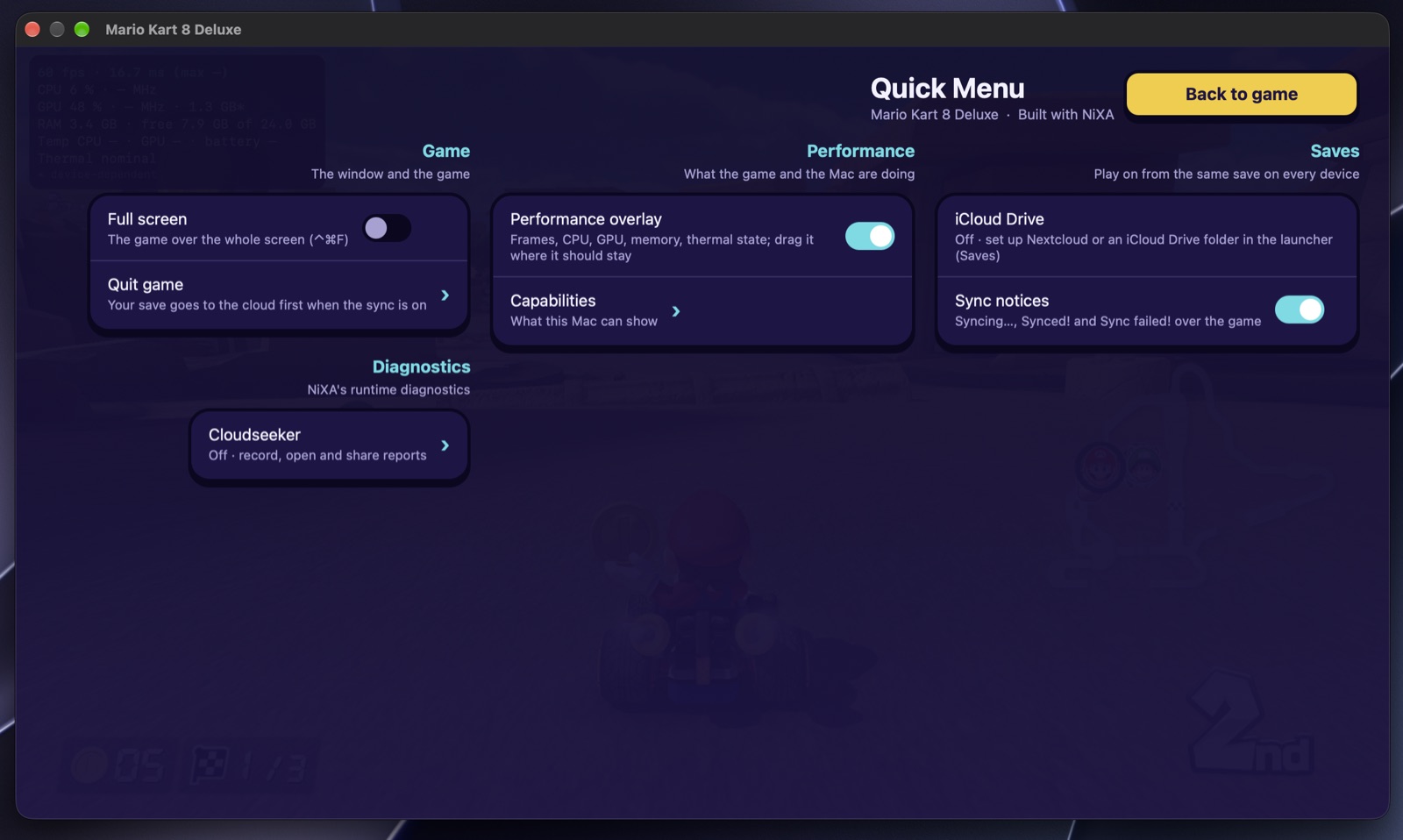
A game app NiXA builds for the Mac has the launcher, the Quick Menu (Shift+Tab), the performance overlay and Cloudseeker in the same design as on Android. Mario Kart 8 Deluxe runs at 60 fps there.
Every step of the Android port has a milestone report that records what was built and what was observed. This is the short form of the reports from November 1 to 5, 2026. The rule behind them: claim only what was observed, and stop with diagnostics instead of inventing success.
A signed ARM64 Android app with a native self-test, and a platform layer that keeps the game's special registers away from the ones Android reserves.
Native self-test: 6 passed, 0 failedA self-written ARM64 test module executes on the Fold7 and returns safely. Code is never writable and executable at once.
A synthetic module in the Switch's executable format is rewritten, loaded, relocated and run on the phone.
The test module uses threads, events, memory, files and time through a portable part of the Horizon services.
The host's own Vulkan renderer presents a test triangle on the Fold7. A renderer proof, not a game renderer.
The test module calls the Switch's graphics API (NVN), and the call ends in a Vulkan draw on the Android screen. The host itself draws nothing any more.
A shader pair in the Switch GPU's machine code is translated and drawn; the picture read back from the GPU matches the reference exactly.
Guest code draws a textured quad, verified pixel by pixel through GPU readback.
Four draws with a depth test, alpha blending and an offscreen image that is then composited to the screen.
The user's own copy of Paper Mario: The Thousand-Year Door is identified and validated on the phone (boot checkpoints 1 to 3 of 12). The report calls the milestone partially complete: no game code runs yet.
The game's three code modules are mapped, linked and released again on the Fold7. Still no game instruction runs.
114,689 relocations appliedThe modules' thread-state accesses, rewritten for Apple devices before, get a form that never touches Android's reserved registers.
Guarded stacks and controlled transitions, proven with synthetic tests. Real game execution is deliberately not claimed yet.
The SDK's system initialization executes, makes real system calls that the host answers, and returns normally.
20 successful system callsOne consistent model of the process's memory answers the game's queries; the next initializer runs and returns.
The SDK's module initializer runs. The following startup step ends in a real SDK abort, and the host stops there instead of pretending success.
The cause was an impossible 62 GiB memory request. With the size corrected, startup and all three modules' constructors run to the end.
The game's own entry point executes on the Fold7 and stops, controlled, at its first request to create a thread.
The game creates and starts its first three worker threads. The main thread stops at its first service request.
Structured tracing and a coverage matrix against the Apple host replace speculative stubs. The report calls the result diagnostic progress.
The next missing system call is implemented and succeeds on the phone; the game stops one step later.
The game connects to the graphics driver service and enters display initialization. It stops at the display service, which did not exist yet.
The display and layer lifecycle is implemented and passes the host tests. The one device run crashed earlier, so nothing is claimed for the phone.
On the Fold7 the game opens the display and creates a layer. The cause of the stop is found: Nintendo's own graphics driver cannot initialize on Android.
The game's graphics calls now land in the host's NVN instead of Nintendo's driver. Its first draw runs on the phone's GPU through Vulkan, and the first frame reaches the screen (black, as expected).
First draw: 921,600 of 921,600 pixels changedRun 52 shows the game's first picture on the Fold7: the Nintendo logo screen. Slowly, with long loading stalls.
After 109 runs on the phone, the game reaches “Press any button” with no stop and no crash. Still slow: about 15 pictures per second.
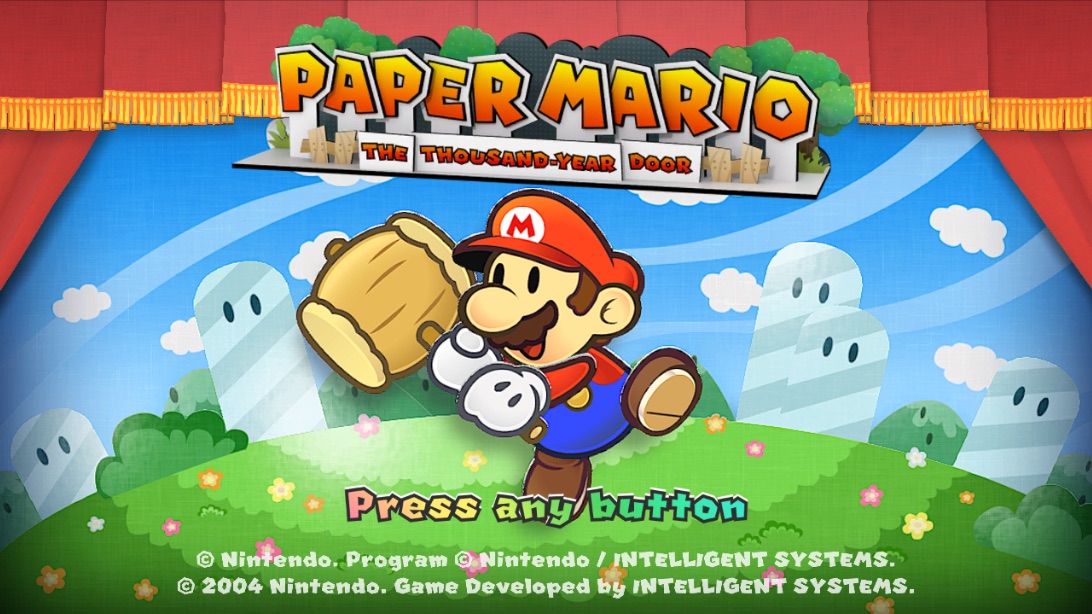
From the title through a new file, the opening movie with its sound and the prologue, at the Switch's 30 fps with game time equal to real time. Then a controlled, named stop at a graphics feature that was not ported yet.
The first area with Mario under control, the first battle, saving and loading, the home button and lock screen, music and sound through the speaker.
28.7 to 30 fps in the harbourA desktop app identifies the user's own game files and builds, signs and installs a standalone Android game app, with no terminal.
The builder also makes Mac and iPhone apps through nxnative's Apple pipeline: a Mac app started and played, an iPhone app signed and installed. 161 upstream commits were merged.
Game apps get NiXA's launcher on the Mac, the iPhone and Android. On the way, the Android runtime turned out to be built without optimization; fixed, crowded scenes run at 29.5 to 30 pictures per second.
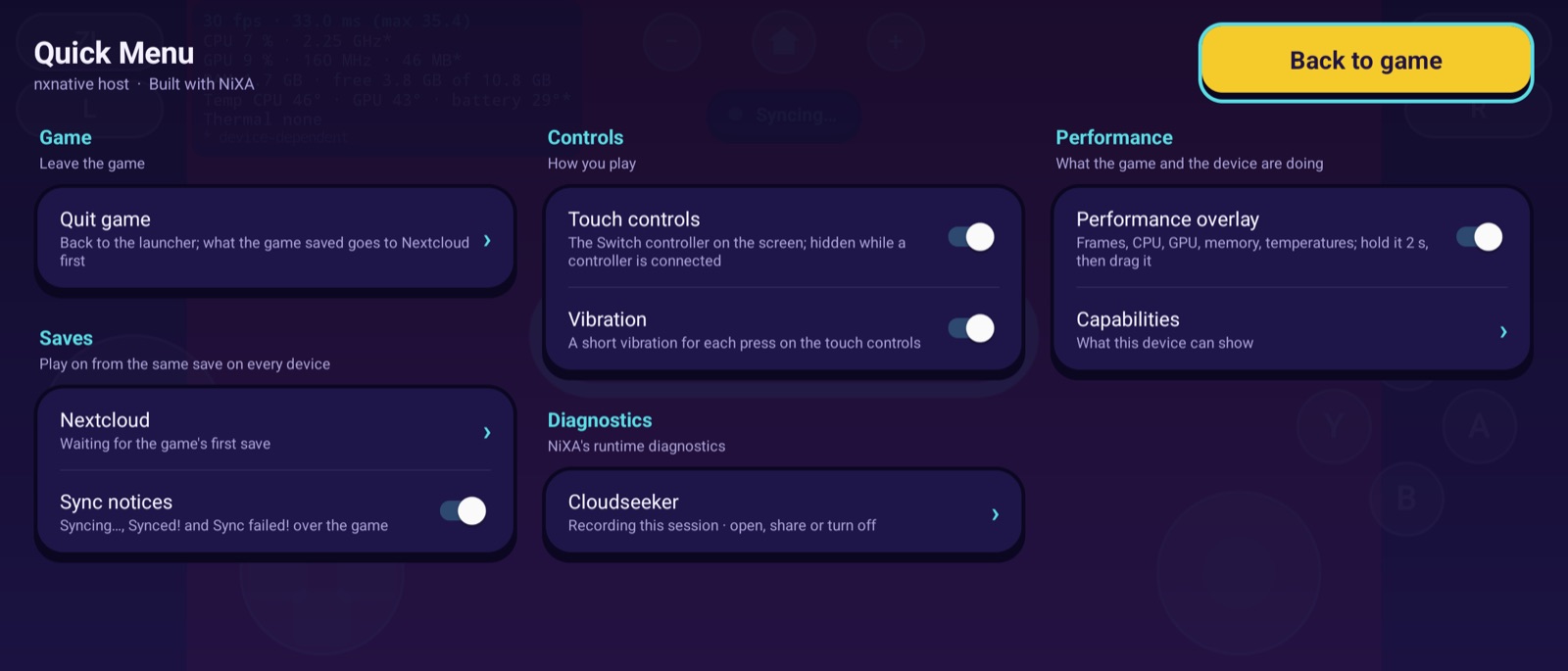
Play to first frame: 17.7 s → 5.5 sNiXA's own menu opens over the running game: a three-finger tap, a menu button, the controller's Home key or Back.
Live frame rate, frame time, CPU, GPU, memory and temperatures over the game. What the device cannot tell shows as “–” and is never guessed.
Both sticks, the D-pad, all face and shoulder buttons, minus, plus and Home, laid out for the cover and the inner display.
When NiXA stops a game at something not yet ported, a screen says why. Cloudseeker, the opt-in diagnostics recorder, keeps each run on the device.
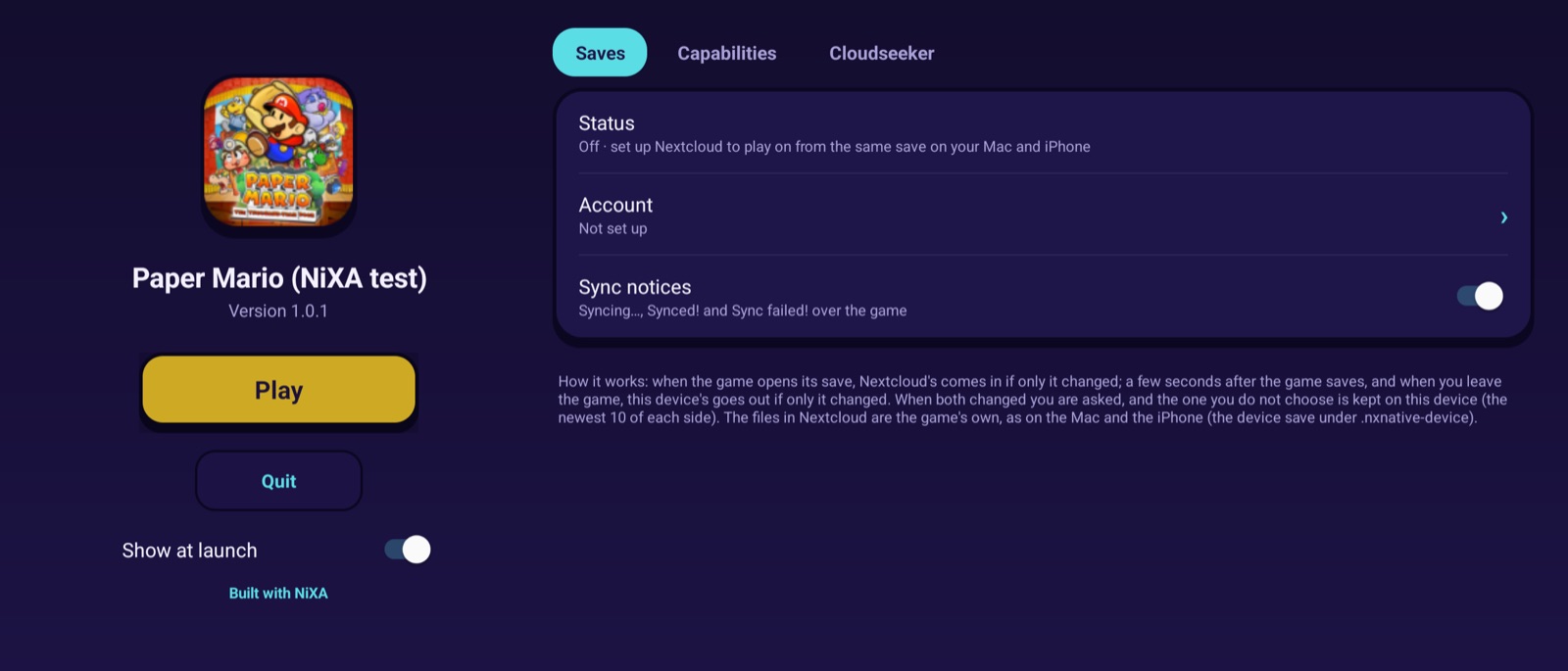
The Apple apps' Nextcloud save sync comes to Android: play on from the same save on every device. Conflicts are always asked, never overwritten unnoticed.
The Mac game app gets NiXA's launcher with its Saves tab, the Quick Menu and the sync notice.
The performance overlay, Capabilities and Cloudseeker on the Mac. iOS and iPadOS follow.
The launcher, the Quick Menu, the overlay and Cloudseeker on the iPhone and the iPad, as on Android and the Mac.
On the Galaxy Z Fold7, races run at 53 to 58 fps on average, often at the full 60: from 16 fps in busy scenes two days before. Every change is in the Android backend and holds for every game.
Busy races: 16 → 53 fpsSource: the milestone reports in the repository (android/MILESTONE*.md). A date is the report's own where it states
one, otherwise the day the report was committed. Milestones 2 to 7b ran test code written for the port; no game was involved before milestone 8.
NiXA is and was developed entirely with AI. The code, the tests, the tools, the milestone reports and this page were written by AI coding agents:
One person owns the games and the devices, decides what comes next, and tests the builds on real hardware: the phone in the hand, the picture on the screen, the sound from the speaker.
The project's rules for its agents: find the root cause, stop with diagnostics at anything unknown, and claim only what was observed. That is why the timeline above also lists the stops.
Two tools that came out of the port: one looks at a game before and after it runs, the other at a NiXA app while it runs.
Checks a Switch game against NiXA's Android backend before and after it runs on a device: which graphics functions, SDK imports and system calls the game's modules hold, what the backend does with each of them, and what the game actually called and where it stopped. It runs locally, reads game files without changing them, and its reports hold names and counts only, never game bytes.

Records how a NiXA app behaves while a game runs, on Android and the Mac: warnings, the place where NiXA stopped a game, crashes, frame times, memory and temperatures. It is off until the player turns it on and agrees, keeps everything on the device, has no network code, and leaves out saves, game files and pictures. The player exports a session as a ZIP and decides whether to share it.
NiXA is an independent project. It is not affiliated with Nintendo, not made by or with Nintendo, and not endorsed or reviewed by Nintendo. Nintendo Switch is a trademark of Nintendo; game names and icons belong to their owners.
NiXA does not support piracy. It contains no games, game files, keys or firmware and downloads none of them. Use only games you bought and keys from your own console. Your files stay on your computer and are not changed.